
Mobile App
📱🤖
Thanks for choosing Petoi's robot. This guide will help you set up your robot buddy and provide a simpler UI to calibrate the joints, control the robot, and program it. For advanced users, we recommend you keep the robot updated with the OpenCat(for NyBoard) / OpenCatEsp32(for BiBoard) firmware on GitHub for the best compatibility and the newest features.
Download and installation
The app works on both Android and iOS devices.
APK
You can also download the Android APK and install it on your phone. Please unzip it before installation.
If the Bluetooth dongle(used for NyBoard) blinks OR the connection panel within the app shows a blank Bluetooth connection list, first check if you have granted the app permission to access Bluetooth and its location. If the list is still blank, try installing the previous stable version.
The v8a version of the app primarily supports most current mobile phone models.
The v7a version of the app is compatible with older mobile phone models.
Connect to the robot
For the mainboard BiBoard, the Bluetooth module is already built into the ESP32 module; you just need to power on the robot by long-pressing the button on the battery.
The app will send a greeting to the Bluetooth device and expect a response from the robot. You must upload the OpenCat(for NyBoard) / OpenCatEsp32(for BiBoard) firmware on your robot before connecting to the app. Otherwise, the app will consider it "not a Petoi device". A pre-assembled robot should already have the firmware installed. Otherwise, you'll need to upload firmware using the Petoi Desktop app.
For BiBoard, please ensure the program enters the regular startup mode.
Open the app and scan available Bluetooth devices. Don't connect the robot with the phone's system-wide Bluetooth settings! Connect the device with the name Bittle, Petoi, or OpenCat.
Please remember to open the Bluetooth service and grant the app access to the service. On some devices, you may also need to allow the location service for the app, though we are not using any of that information.
On some Android OS, you need to activate the location service as following:
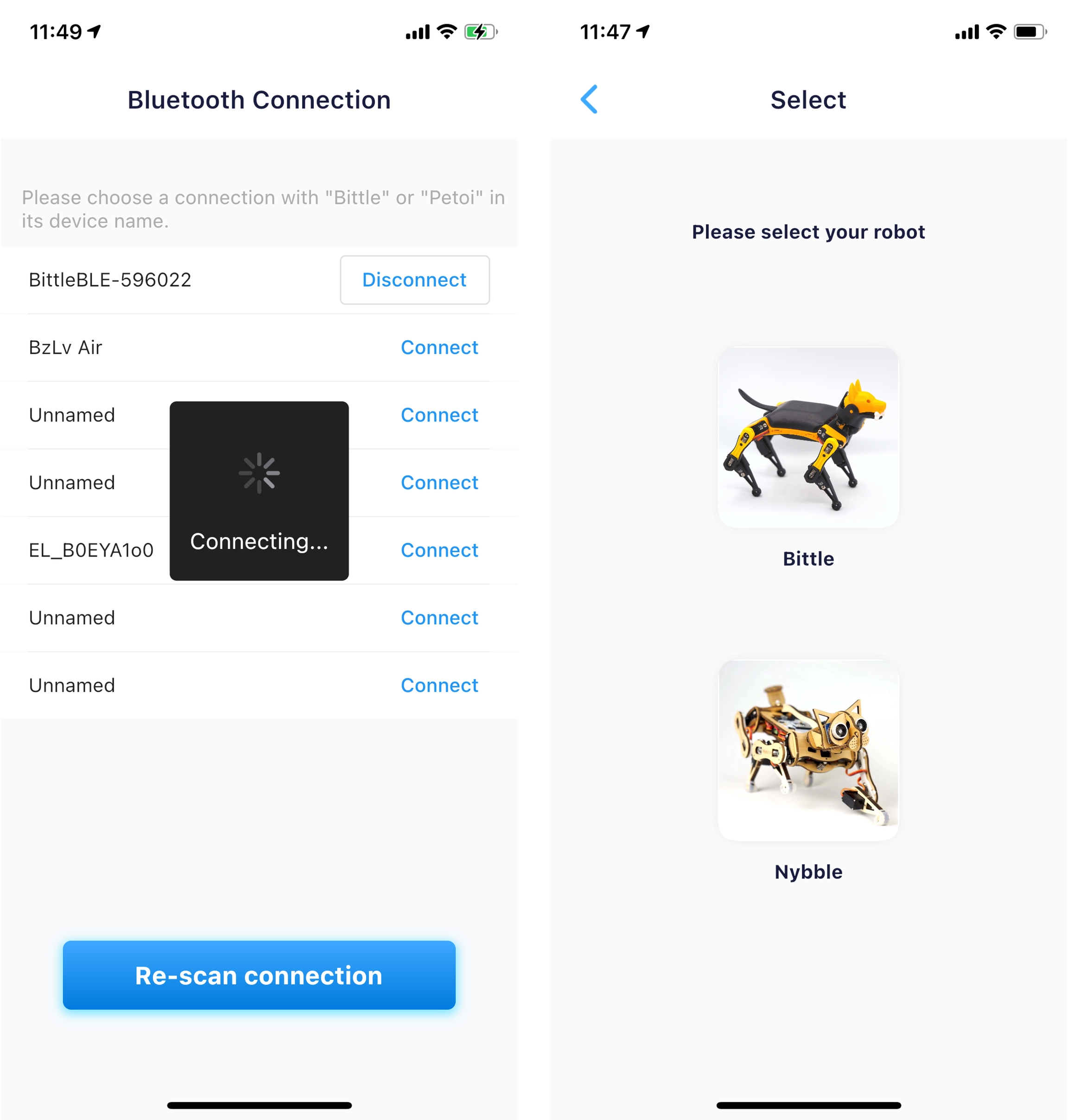
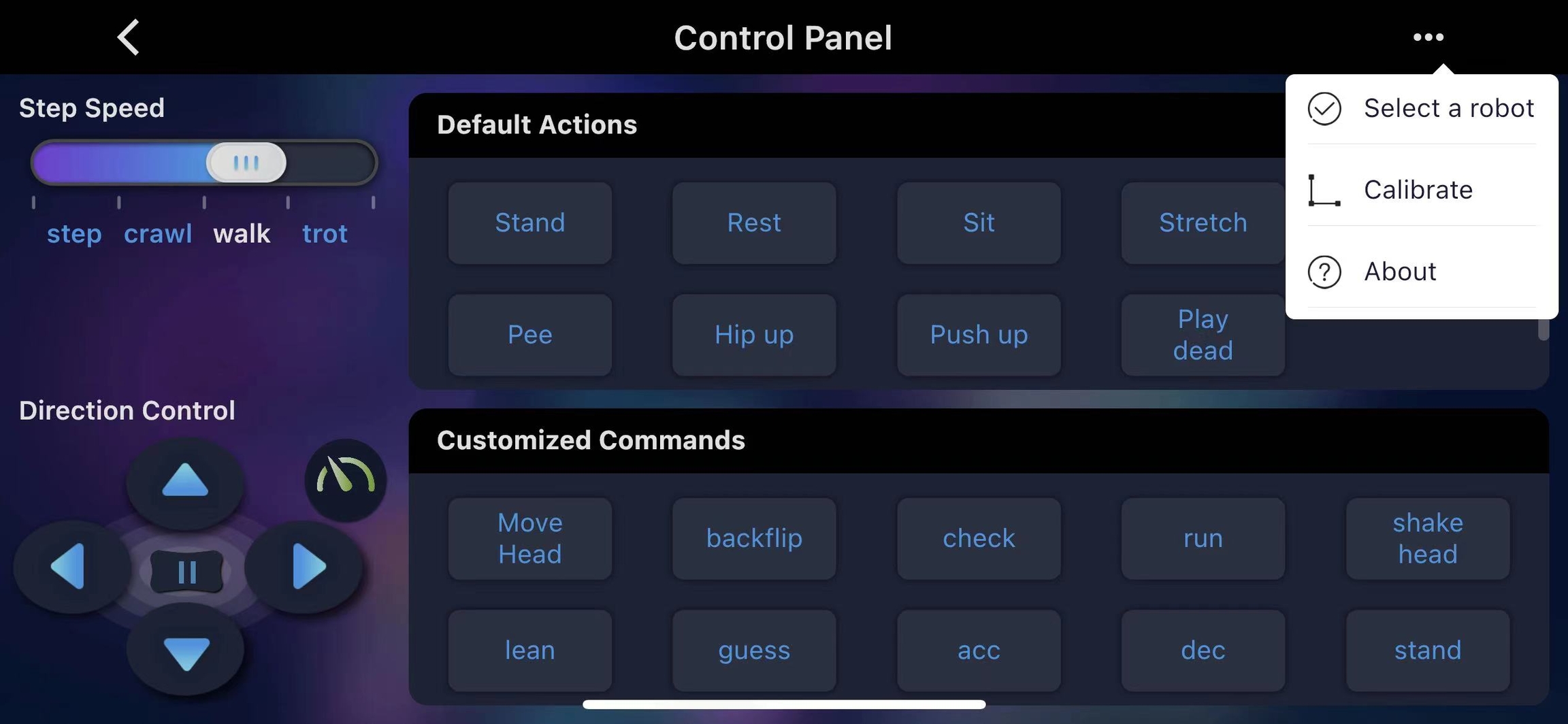
The app will go into the Control Panel interface if Bluetooth is connected. If the robot doesn't respond or malfunctions later, press the reset button on the mainboard to restart the robot.
The app should automatically detect the type of robot that is supported by the latest firmware. Otherwise, it will show the selections for the robot type. The above interface can also be revisited by pressing the option Select a robot in the control panel.
Last updated