> For the complete documentation index, see [llms.txt](https://guide.petoi.com/llms.txt). Markdown versions of documentation pages are available by appending `.md` to page URLs; this page is available as [Markdown](https://guide.petoi.com/extensible-modules/petoi-ai-vision-module.md).
# Petoi AI Vision Module
## Function introduction
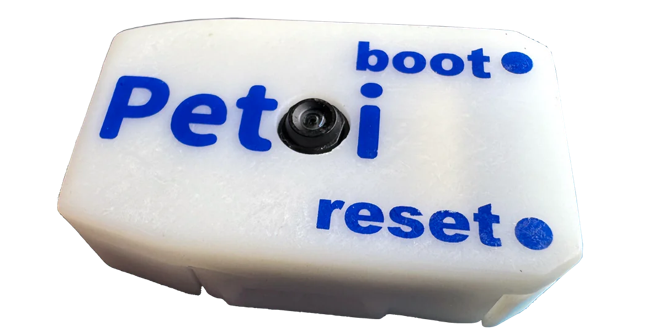
Petoi AI Vision Module is based on the Arm Cortex-M55, and Ethos-U55 embedded vision module. The Ethos-U55 has 64 to 512 GOP/s of arithmetic power to meet the growing demand for downloading machine learning.
## Hardware setup
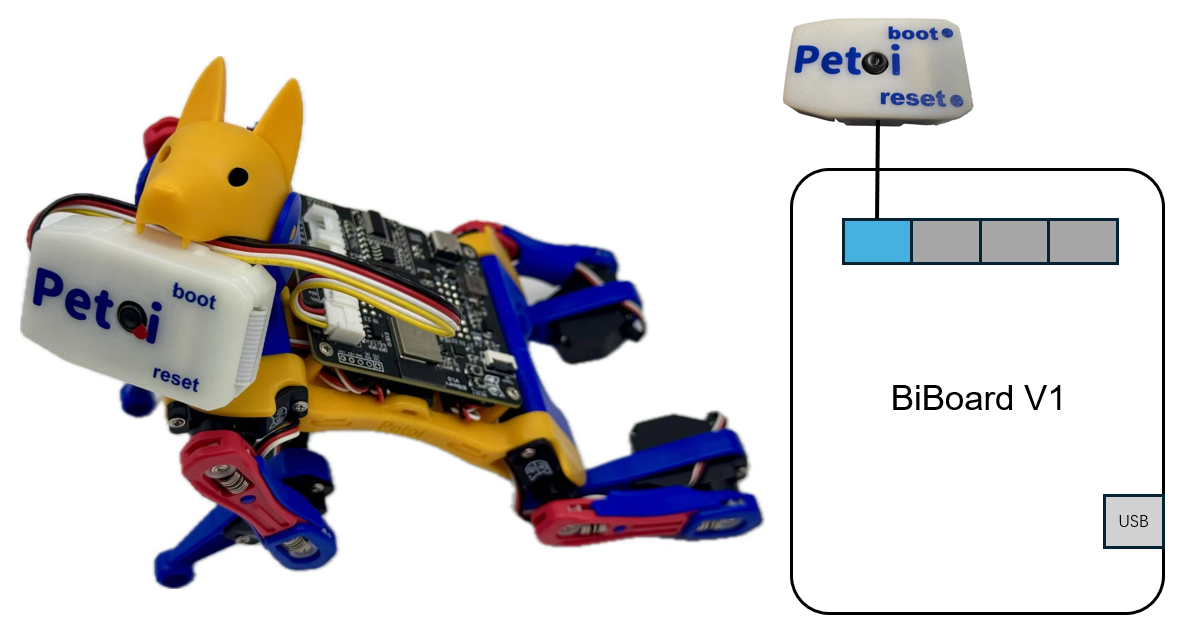
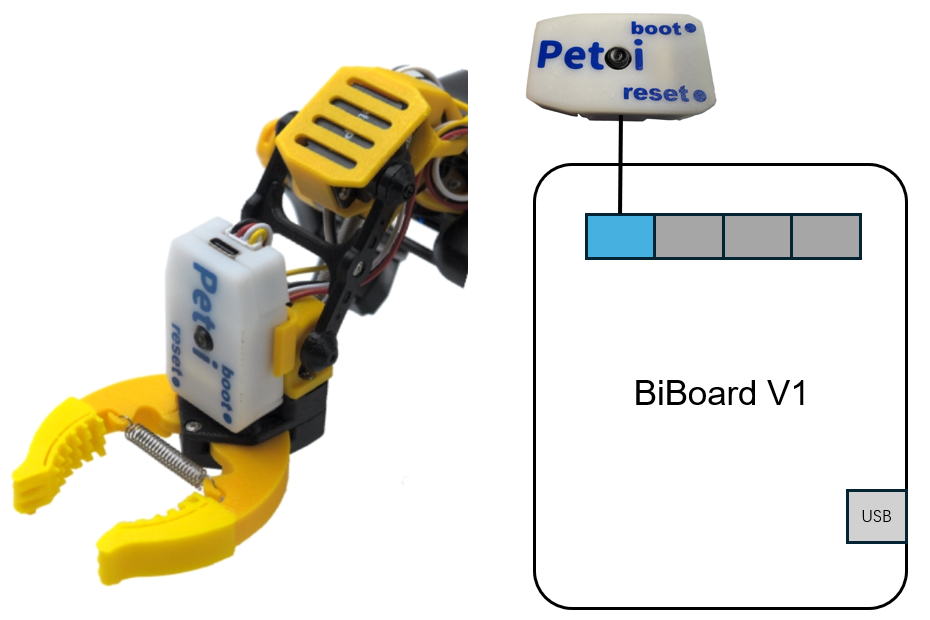
### BiBoard V1 for Bittle X V2 / Bittle X+Arm
Bittle X
Bittle X+Arm
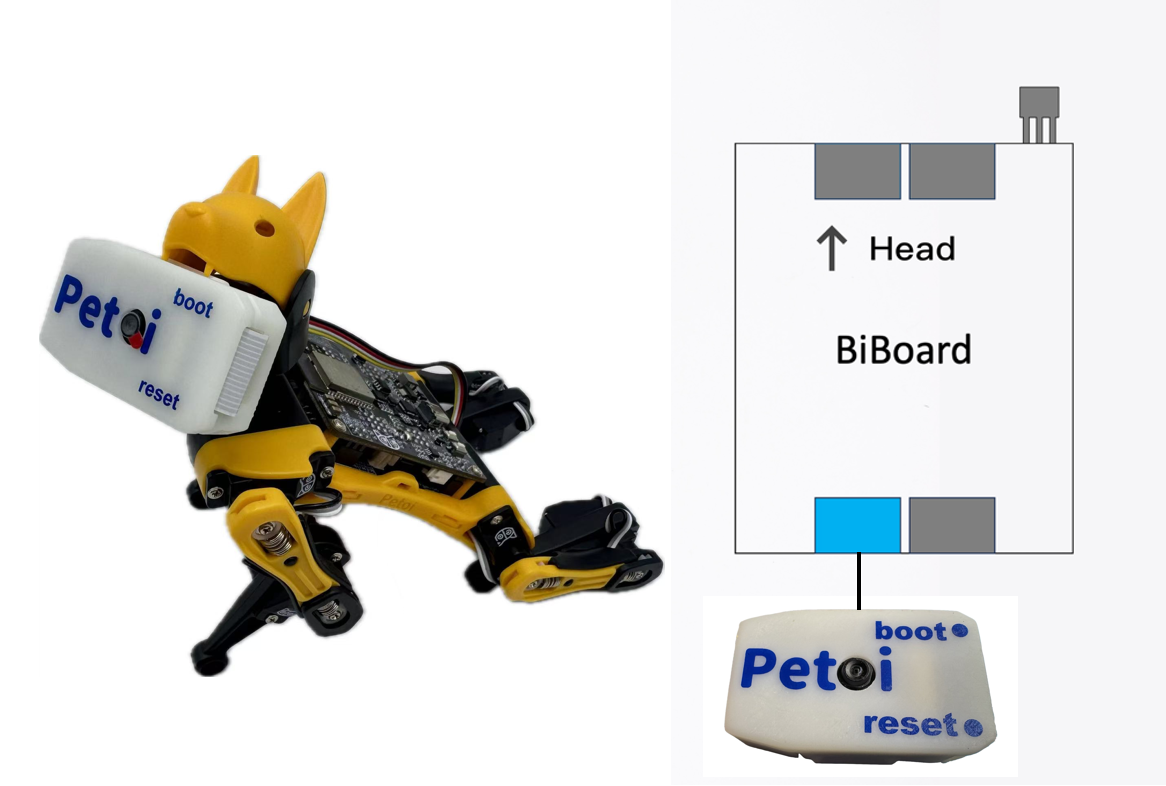
Fix the end connected to the camera to the robot's head (included in Bittle's / Bittle X's mouth or attached to Bittle X+Arm's robotic arm).
### BiBoard V0 for Bittle X
Bittle X
## Software setup
There are two methods to upload the firmware :
* Using the Petoi Desktop App
* Using the Arduino IDE
### **Petoi Desktop App**
You can use the [Firmware Uploader](https://guide.petoi.com/desktop-app/firmware-uploader#select-the-correct-options-to-upload-the-latest-firmware) within the Petoi Desktop App.
Please select the correct ***Product*** type, ***Borard version***, and ***Serial port***. The mode should be **Standard**, so press the **Upgrade the Firmware** button. for example, Bittle, BiBoard\_V0\_2, COM5 as follows:
### **Arduino IDE**
For more details, please refer to [Upload Sketch for BiBoard](https://guide.petoi.com/arduino-ide/upload-sketch-for-biboard).
After uploading, there are two methods to ***activate/deactivate*** the camera mode:
* Serial Monitor
* [Open the serial monitor](/arduino-ide/serial-monitor.md#biboard) and use the serial command "***XC***" to activate the camera mode.
* Open the serial monitor and use the serial command "***Xc***" to deactivate the camera mode.
* Mobile App
* Create [a mobile app command](https://docs.petoi.com/mobile-app/controller#create-a-single-command) called "**Activate camera**" and use the code: *`X67`*
* Create a mobile app command called "**Deactivate camera**" and use the code: *`X99`*
### Web debug GUI
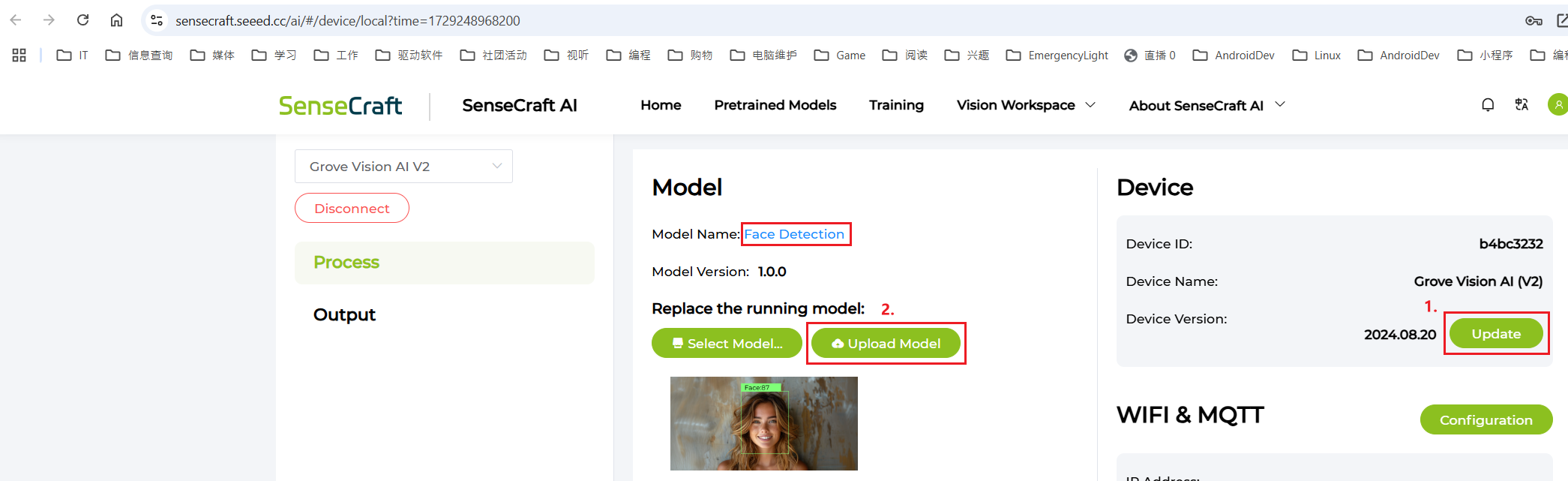
Combined with the empowerment of the web debug GUI ([SenseCraft AI Model Assistant](https://sensecraft.seeed.cc/ai/device/local/36)), you can easily upload a wide variety of co-created models and directly observe the results.
{% hint style="info" %}
The camera is already plugged in. After opening the web debug GUI, simply connect Petoi AI Vision to your computer using a Type-C cable and then click the **Connect** button.
{% endhint %}
For how to use this web debug GUI, please refer to:
{% hint style="info" %}
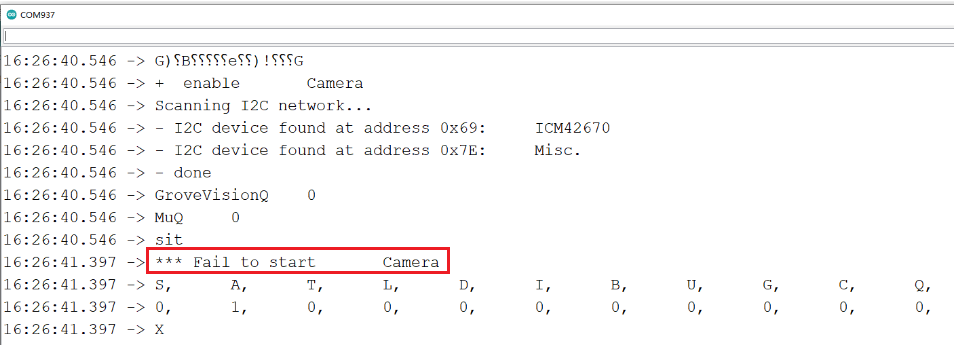
If the camera mode can't be activated, as follows:
You can use the [web debug GUI ](https://sensecraft.seeed.cc/ai/device/local/36/)to upgrade the camera firmware and upload the Face Detection model.
{% endhint %}
{% hint style="warning" %}
To run the example code (inference.ino) in the library [Seeed\_Arduino\_SSCMA](https://github.com/Seeed-Studio/Seeed_Arduino_SSCMA/releases), you should add the library to your Arduino IDE by selecting Sketch > Include Library > Add .ZIP Library and choosing the downloaded file.
Or you can install the library in the Library Manager of the Arduino IDE as follows:
\
\

{% endhint %}
## More Application
The Petoi AI vision module also supports taking photos and transmitting images via Wi-Fi, but it needs to be installed on a MCU with more powerful computing power (such as ESP32S3, ESP32C3, etc.). For the specific development process, please refer to the wiki technical documentation:
{% embed url="" %}
{% embed url="" %}
{% embed url="" %}
---
# Agent Instructions
This documentation is published with GitBook. GitBook is the documentation platform designed so that both humans and AI agents can read, navigate, and reason over technical content effectively. Learn more at gitbook.com.
## Querying This Documentation
If you need additional information that is not directly available in this page, you can query the documentation dynamically by asking a question.
Perform an HTTP GET request on the current page URL with the `ask` query parameter, and the optional `goal` query parameter:
```
GET https://guide.petoi.com/extensible-modules/petoi-ai-vision-module.md?ask=&goal=
```
`ask` is the immediate question: it should be specific, self-contained, and written in natural language.
`goal` is optional and describes the broader end goal you are ultimately trying to accomplish on behalf of the user. GitBook uses it to tailor the answer towards what is most useful for that goal.
The response will contain a direct answer to the question and relevant excerpts and sources from the documentation.
Use this mechanism when the answer is not explicitly present in the current page, you need clarification or additional context, or you want to retrieve related documentation sections.

 You can use the [web debug GUI ](https://sensecraft.seeed.cc/ai/device/local/36/)to upgrade the camera firmware and upload the Face Detection model.
 {% endhint %}
{% hint style="warning" %}
To run the example code (inference.ino) in the library [Seeed\_Arduino\_SSCMA](https://github.com/Seeed-Studio/Seeed_Arduino_SSCMA/releases), you should add the library to your Arduino IDE by selecting Sketch > Include Library > Add .ZIP Library and choosing the downloaded file.
Or you can install the library in the Library Manager of the Arduino IDE as follows:
{% endhint %}
{% hint style="warning" %}
To run the example code (inference.ino) in the library [Seeed\_Arduino\_SSCMA](https://github.com/Seeed-Studio/Seeed_Arduino_SSCMA/releases), you should add the library to your Arduino IDE by selecting Sketch > Include Library > Add .ZIP Library and choosing the downloaded file.
Or you can install the library in the Library Manager of the Arduino IDE as follows:
 \
\

{% endhint %}
## More Application
The Petoi AI vision module also supports taking photos and transmitting images via Wi-Fi, but it needs to be installed on a MCU with more powerful computing power (such as ESP32S3, ESP32C3, etc.). For the specific development process, please refer to the wiki technical documentation:
{% embed url="
\
\

{% endhint %}
## More Application
The Petoi AI vision module also supports taking photos and transmitting images via Wi-Fi, but it needs to be installed on a MCU with more powerful computing power (such as ESP32S3, ESP32C3, etc.). For the specific development process, please refer to the wiki technical documentation:
{% embed url="