> For the complete documentation index, see [llms.txt](https://guide.petoi.com/llms.txt). Markdown versions of documentation pages are available by appending `.md` to page URLs; this page is available as [Markdown](https://guide.petoi.com/desktop-app/joint-calibrator/bittle-bittle-x.md).
# Bittle / Bittle X
The subpages mention the joint calibration interface for Bittle / Bittle X in the Petoi Desktop App.
## Installation for the construction kit
### Bittle's calibration state
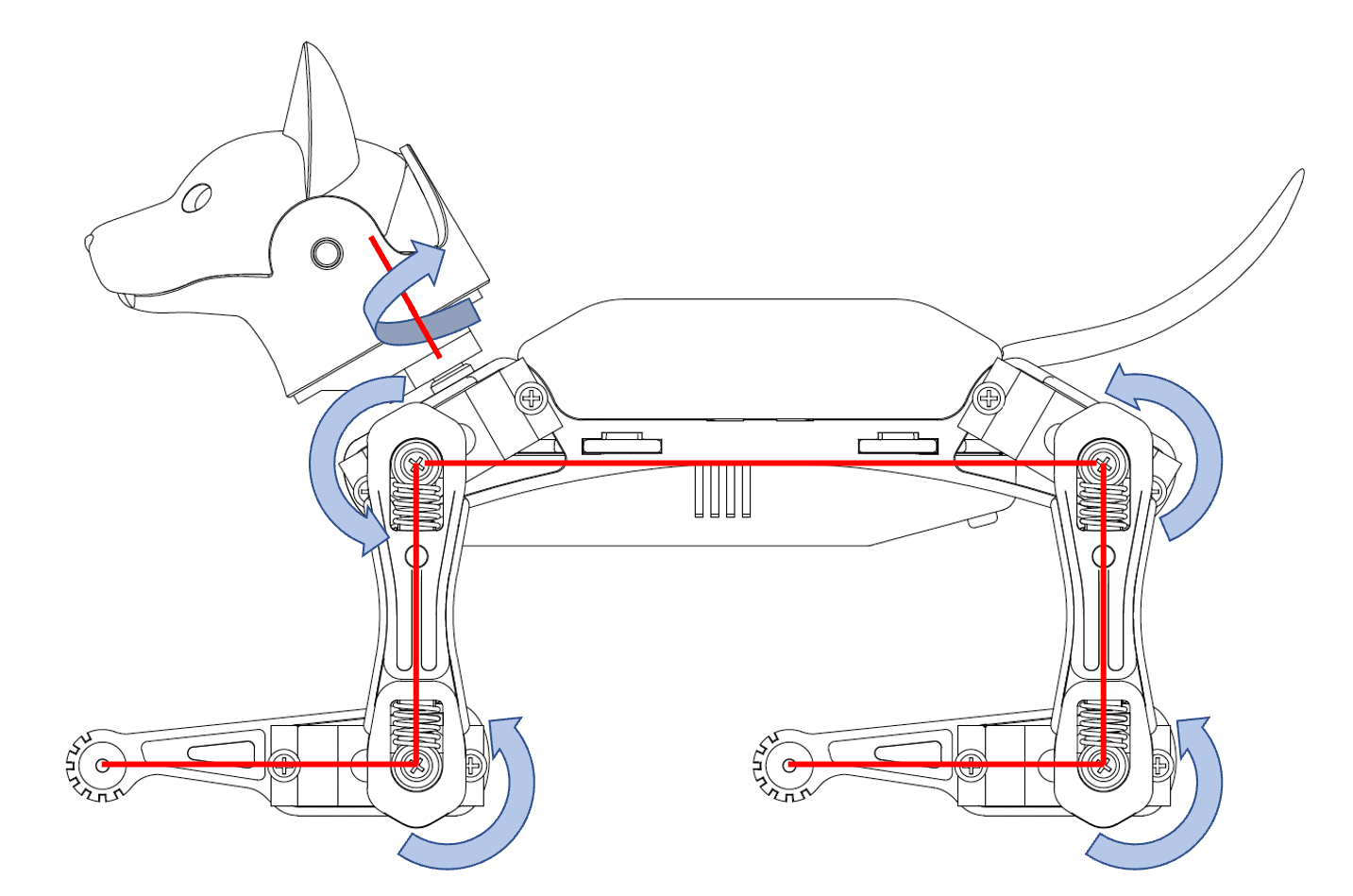
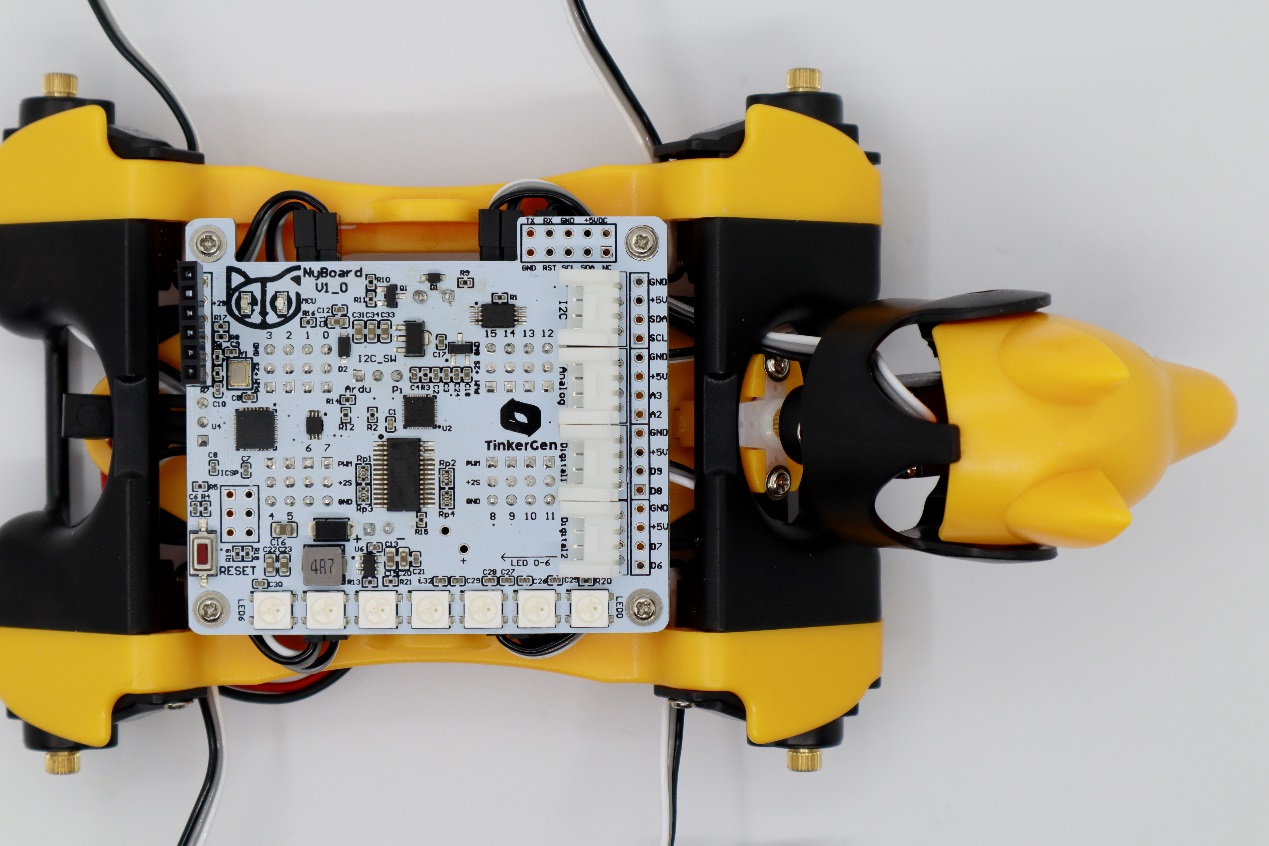
Bittle's Calibration Mode
For the construction kit, please install the servo-related components as shown in the picture (calibration mode) and ensure they are perpendicular to each other (the upper leg is perpendicular to the torso, and the lower leg is perpendicular to the upper leg).
{% hint style="warning" %}
Note: Insert the servo-related components directly into the servo output shaft; do not turn the output shaft during this process.
{% endhint %}
{% hint style="warning" %}
Please **disregard** the type of mainboard in the following installation pictures, as all Petoi mainboards have the same size.
{% endhint %}
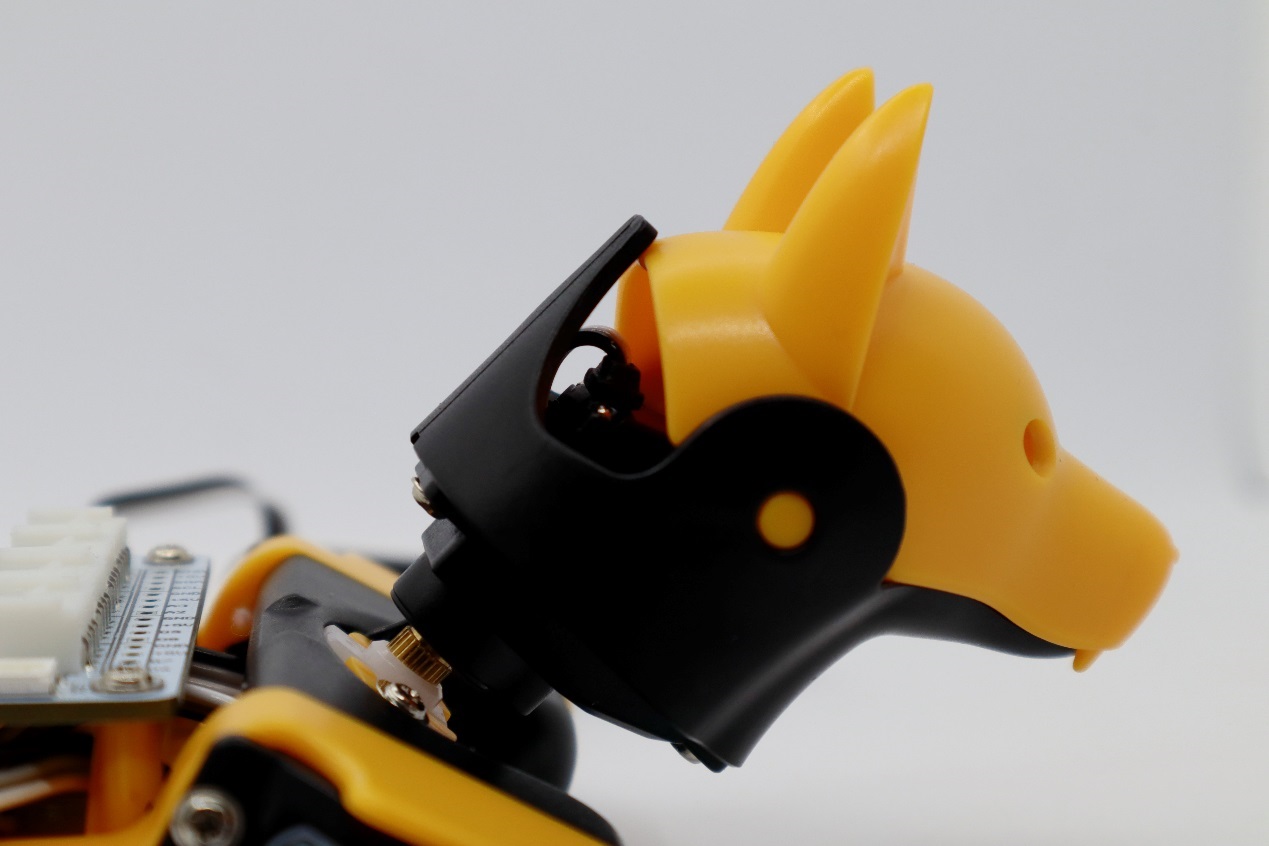
### Install the head
In the calibration state, place the head as close to the central axis as possible and insert its servo shaft into the servo arm of the neck.
Press down on the head so it is firmly attached to the neck.
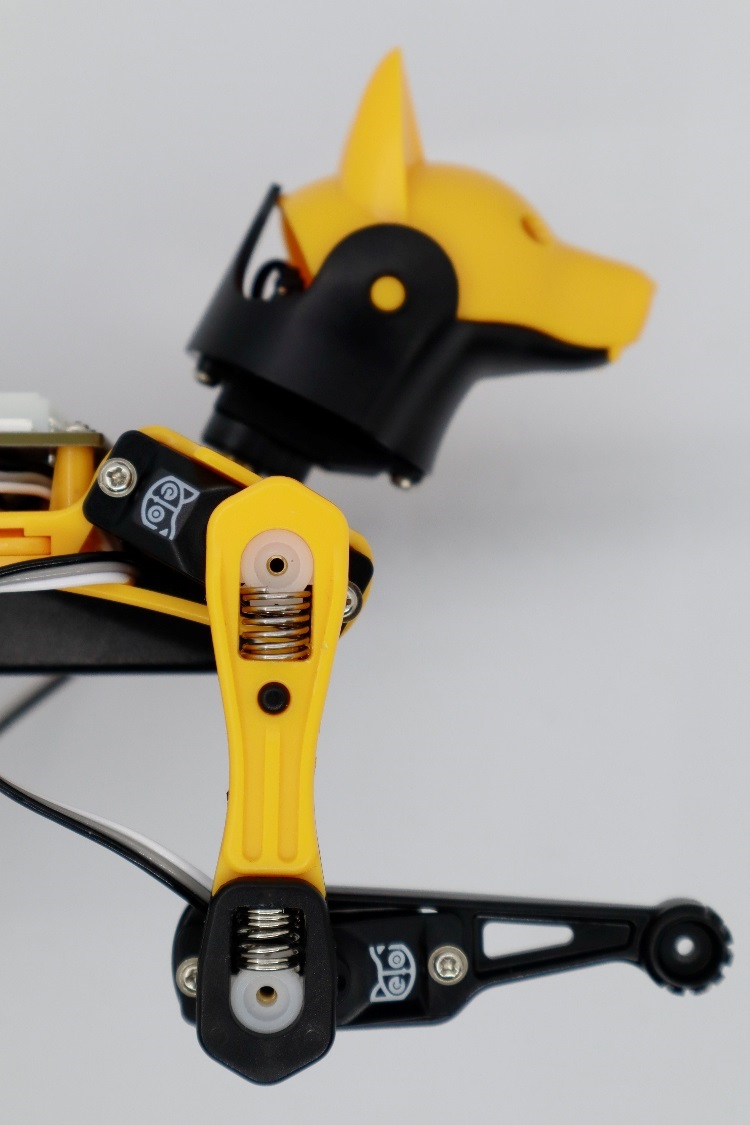
### Install the legs
Install the upper leg and lower leg components to the output teeth of the servos after the Bittle is powered on and in the calibrated neutral position. Please keep the torso, upper leg, and lower leg installed vertically as much as possible. Do not install the lower leg backward, as shown in the picture.
## Fine-tuning
{% hint style="info" %}
The **pre-assembled** robot should already have the components adequately installed. You can do the joint calibration for fine-tuning directly, without needing to uninstall the head and legs.
{% endhint %}
Please use the L-shaped calibration tool included in the package as a calibration reference. According to the joint numbers shown in the calibration interface picture, click and drag the corresponding joint sliders or click the blank areas of the slider tracks to fine-tune the joints to a right angle.
Please note that when calibrating the servos, adjust the upper leg first, then change the lower leg.


{% hint style="info" %}
If the offset is more than +/-9 degrees, you need to remove the corresponding leg and reinstall it by rotating one tooth and then dragging the corresponding slider. For example, when it is adjusted to +9 and still not right, remove the corresponding leg and shift one tooth when attaching it. Then, you should get a smaller offset in the opposite direction.
{% endhint %}
---
# Agent Instructions
This documentation is published with GitBook. GitBook is the documentation platform designed so that both humans and AI agents can read, navigate, and reason over technical content effectively. Learn more at gitbook.com.
## Querying This Documentation
If you need additional information that is not directly available in this page, you can query the documentation dynamically by asking a question.
Perform an HTTP GET request on the current page URL with the `ask` query parameter, and the optional `goal` query parameter:
```
GET https://guide.petoi.com/desktop-app/joint-calibrator/bittle-bittle-x.md?ask=&goal=
```
`ask` is the immediate question: it should be specific, self-contained, and written in natural language.
`goal` is optional and describes the broader end goal you are ultimately trying to accomplish on behalf of the user. GitBook uses it to tailor the answer towards what is most useful for that goal.
The response will contain a direct answer to the question and relevant excerpts and sources from the documentation.
Use this mechanism when the answer is not explicitly present in the current page, you need clarification or additional context, or you want to retrieve related documentation sections.