> For the complete documentation index, see [llms.txt](https://guide.petoi.com/llms.txt). Markdown versions of documentation pages are available by appending `.md` to page URLs; this page is available as [Markdown](https://guide.petoi.com/product/bittle-x-v2/control-and-programming/mobile-app/calibrator.md).
# Calibrator
## The rationale for calibration
### Understand the zero state and the coordinate system
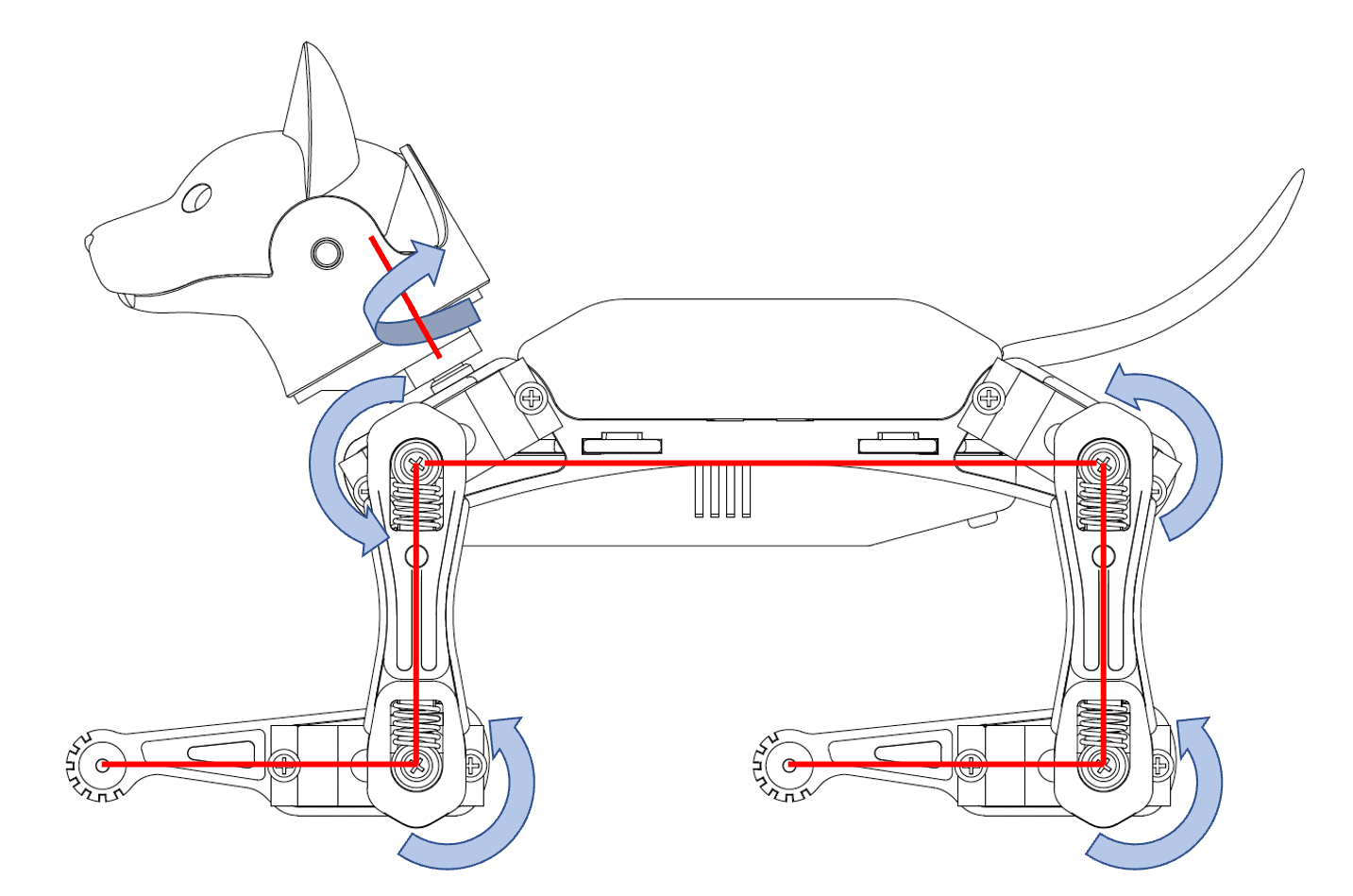
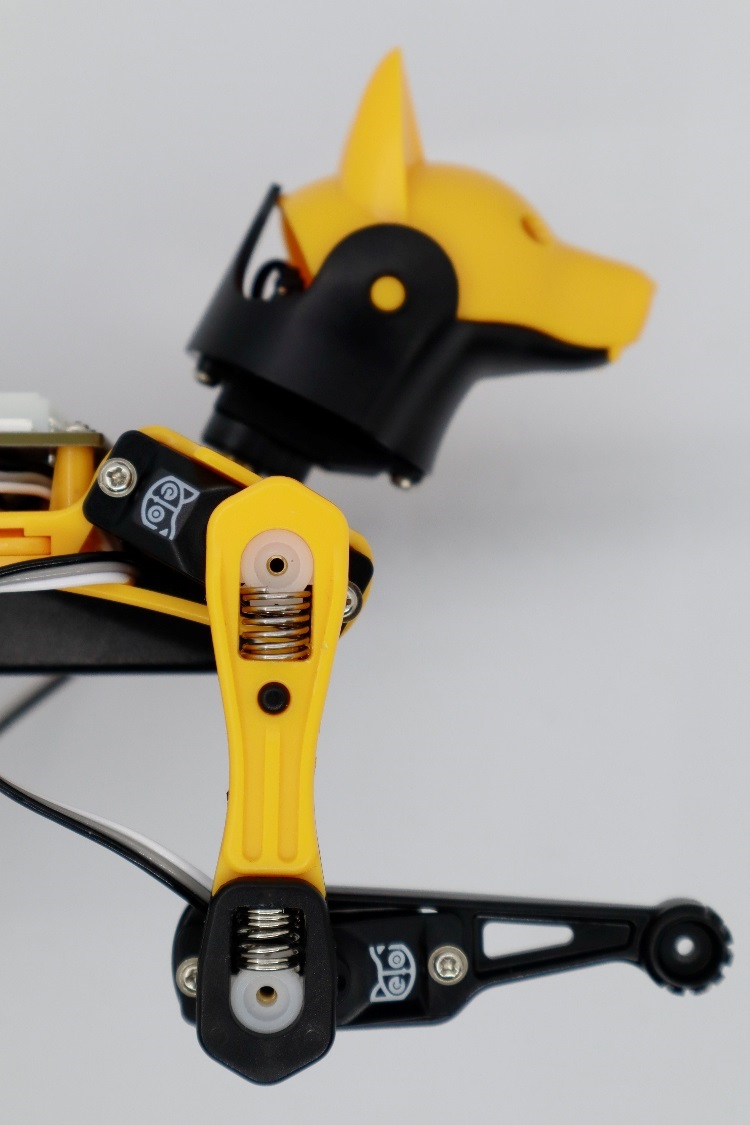
After the robot [enters the calibration state](#enter-the-calibration-state), with all servos rotated to their zero angles, attach the head, tail, and legs prepared in the previous section to the body. They are generally perpendicular to their linked body frames.
Bittle's Calibration Mode
For the construction kit, please install the servo-related components as shown in the picture (calibration mode) and ensure they are perpendicular to each other (the upper leg is perpendicular to the torso, and the lower leg is perpendicular to the upper leg).
{% hint style="warning" %}
Note: Insert the servo-related components directly into the servo output shaft; do not turn the output shaft during this process.
{% endhint %}
Rotating the limbs counterclockwise from their zero states will be positive (the same as in polar coordinates). Viewed from the left side of the robot's body, the counter-clockwise rotation of the joint is defined as the positive direction.
{% hint style="info" %}
The only exception is the head tilt angle for Nybble. It’s more natural to say head up, while it’s the result of rotating clockwise.
{% endhint %}
{% hint style="info" %}
However, from the right side of the robot's body, the rotation directions' positive and negative are just opposite.
{% endhint %}
### Discrete angular intervals
If we look closer at the servo shaft, we can see it has a certain number of teeth. That’s for attaching the servo arms and avoiding sliding in the rotational direction. In our servo sample, the gears divide 360 degrees into 25 sectors, each taking **14.4** degrees(offset of -7.2\~7.2 degrees). That means we cannot always get a perfect perpendicular installation.

## Calibration Interfaces
{% hint style="info" %}
Bittle, Bittle X, and Bittle X+Arm use the same calibrator interface and process. You can **ignore** the **mainboard type** in the following pictures.
{% endhint %}
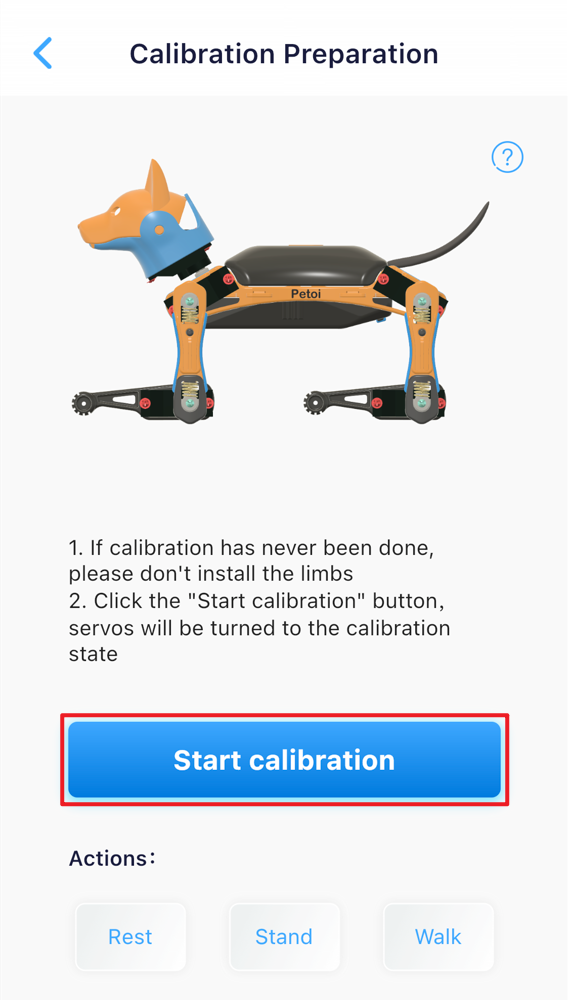
The calibrator interface for Bittle is as follows:

{% hint style="info" %}
These interfaces will be displayed when you calibrate for the first time. You can also click to open the upper-right menu in the control panel and select **Calibrate** to re-access.

{% endhint %}
## Enter the calibration state
After the battery powers on the robot, follow the next steps to enter the calibration mode.
* Click the **Start Calibration** button.
* Click the **Calibration** button in the calibration interface.
**After** the robot enters the calibration mode, for the construction kit, do the following steps:
{% hint style="info" %}
The pre-assembled robot has already had its joints calibrated, so there is no need to disassemble the joints for further calibration.
{% endhint %}
### Install the neck servo
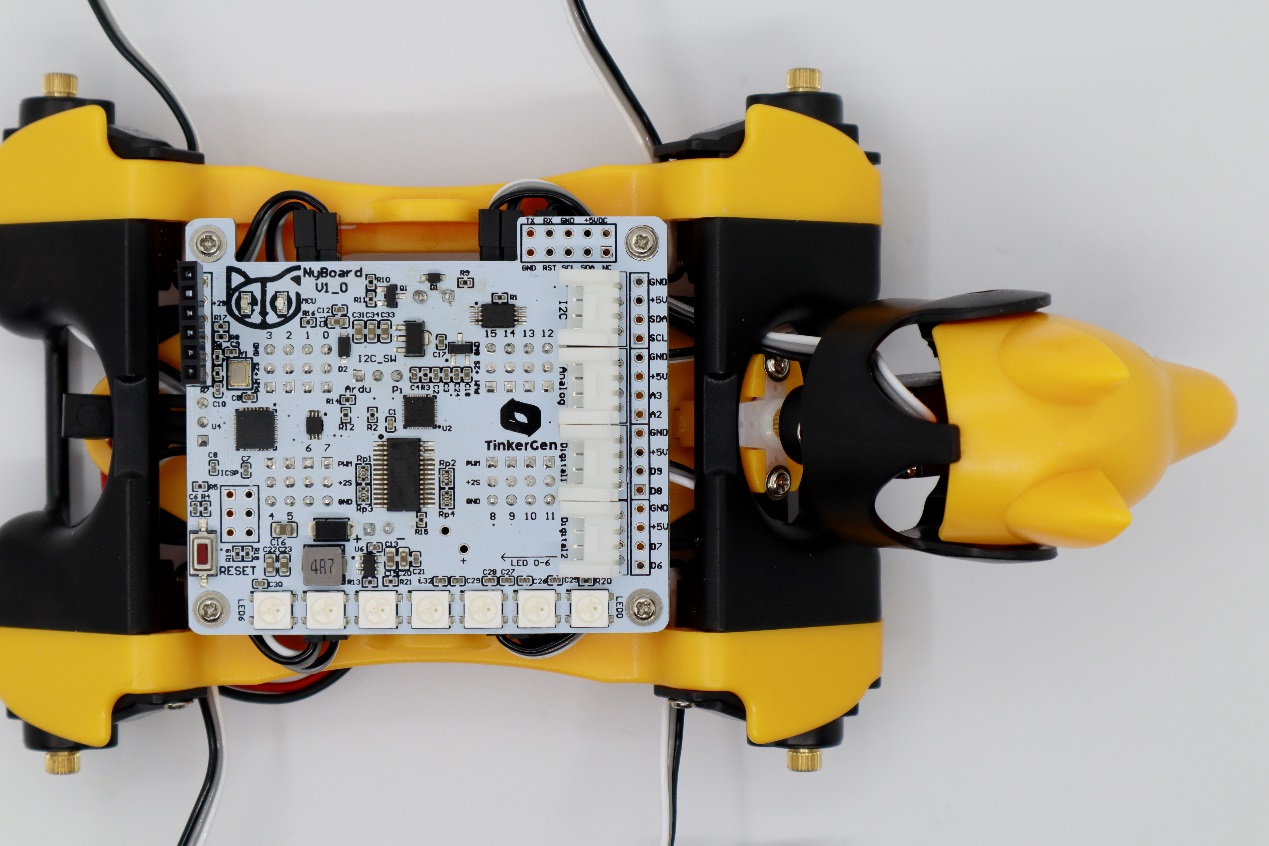
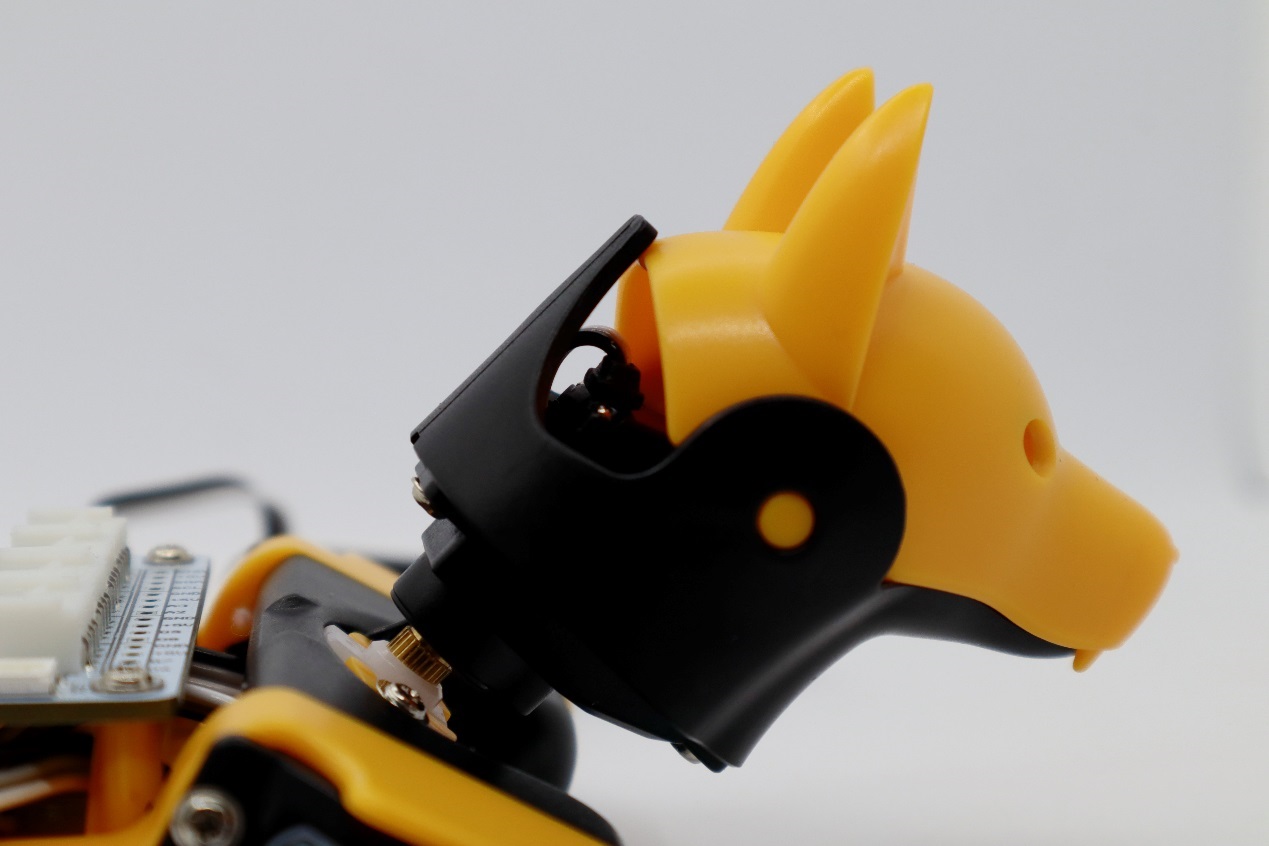
In the calibration mode, place the head as close to the central axis as possible and insert its servo shaft into the neck's servo arm.
Press down on the head so it is firmly attached to the neck.
### Install the legs
Install the upper leg and lower leg components to the output teeth of the servos when the Bittle is powered on and in the calibration mode. Please keep the torso, upper leg, and lower leg installed vertically as much as possible. Pay attention not to install the lower leg backward (the correct orientation is shown in the picture below).
### **Use the included L-shaped tool as a reference**


First, select the index number of the joint servo from the diagram(when adjusting the leg servo, adjust the thigh first, and then adjust the calf).
Then, click the "+" or "-" button to fine-tune the joint to the desired angle.
{% hint style="info" %}
If the offset is more than ±9 degrees, you need to remove the corresponding part of the servo, reinstall it by rotating one tooth, and then press the "+" or "-" button.
For example, if you need to use -10 as the calibration value, remove the limb, rotate it by one tooth, and then reattach it. The new calibration value should be around 4, i.e., they sum up to 14. Avoid rotating the servo shaft during this adjustment.
{% endhint %}
## Test the calibration effect

You can click the skill buttons to switch between **Rest**, **Stand**, and **Walk** to test the calibration effect.
If you want to continue calibrating, please click the **Calibration** button, and the robot will return to the calibration mode, with all servos immediately moving to their calibration positions.
{% hint style="info" %}
Note:
You may need a second round of calibrations to achieve optimal results.
{% endhint %}
After calibration, remember to click the **Save** button to save the calibration offset. Otherwise, click "**<**" in the upper left corner to abandon the calibration.
## Install the screws for the construction kit
For the construction kit, after completing the joint calibration, install the center screws to fix the leg parts and neck servo gears.
---
# Agent Instructions
This documentation is published with GitBook. GitBook is the documentation platform designed so that both humans and AI agents can read, navigate, and reason over technical content effectively. Learn more at gitbook.com.
## Querying This Documentation
If you need additional information that is not directly available in this page, you can query the documentation dynamically by asking a question.
Perform an HTTP GET request on the current page URL with the `ask` query parameter, and the optional `goal` query parameter:
```
GET https://guide.petoi.com/product/bittle-x-v2/control-and-programming/mobile-app/calibrator.md?ask=&goal=
```
`ask` is the immediate question: it should be specific, self-contained, and written in natural language.
`goal` is optional and describes the broader end goal you are ultimately trying to accomplish on behalf of the user. GitBook uses it to tailor the answer towards what is most useful for that goal.
The response will contain a direct answer to the question and relevant excerpts and sources from the documentation.
Use this mechanism when the answer is not explicitly present in the current page, you need clarification or additional context, or you want to retrieve related documentation sections.