
Serial Monitor
Mainboard connection
Wired Connection: The kit includes a USB Type-C data cable connecting the robot's mainboard to the computer.
Wireless Connection(Bluetooth): The mainboard's built-in Bluetooth communication module allows you to establish a wireless connection between the robot's mainboard and your computer.
Set up in the Arduino IDE
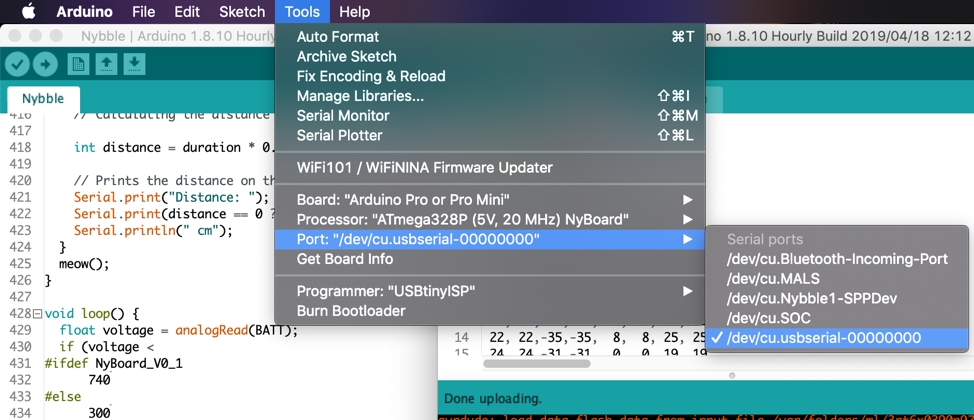
Select the port in the Arduino IDE(recommended version 1.8.19).
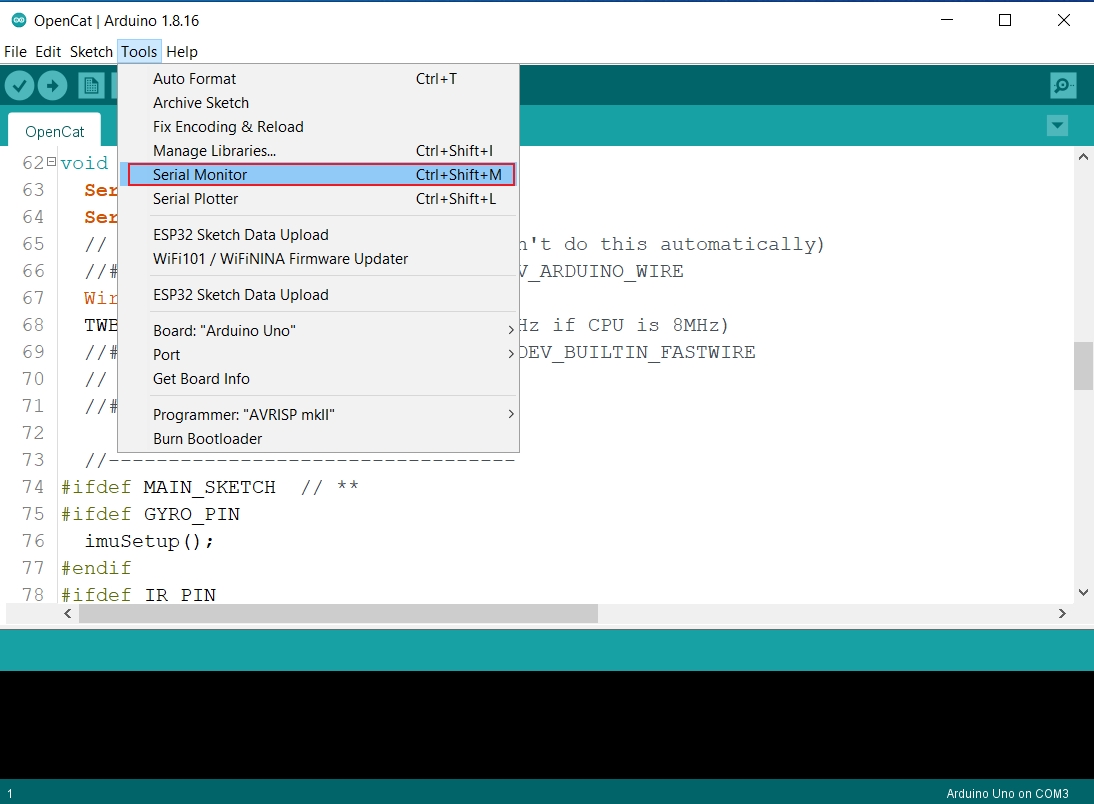
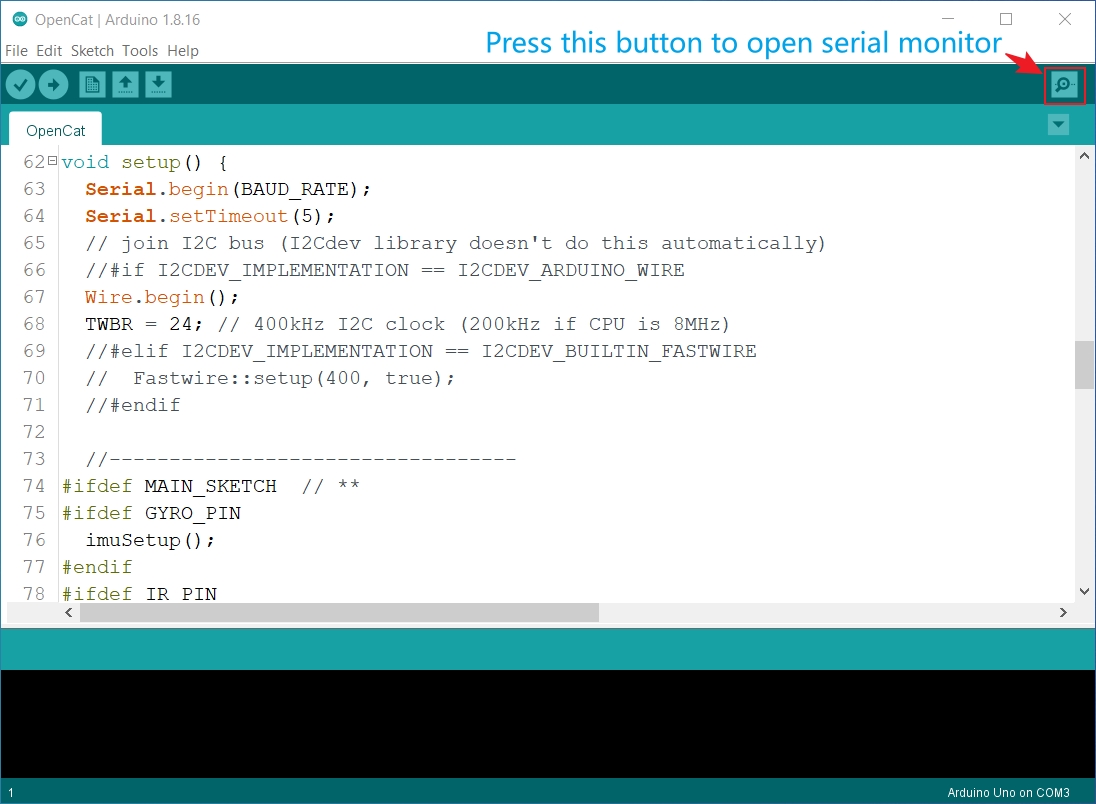
Open the serial monitor.
You can choose the "Serial Monitor" in the Tools menu bar or click the  Button to open the serial monitor window:
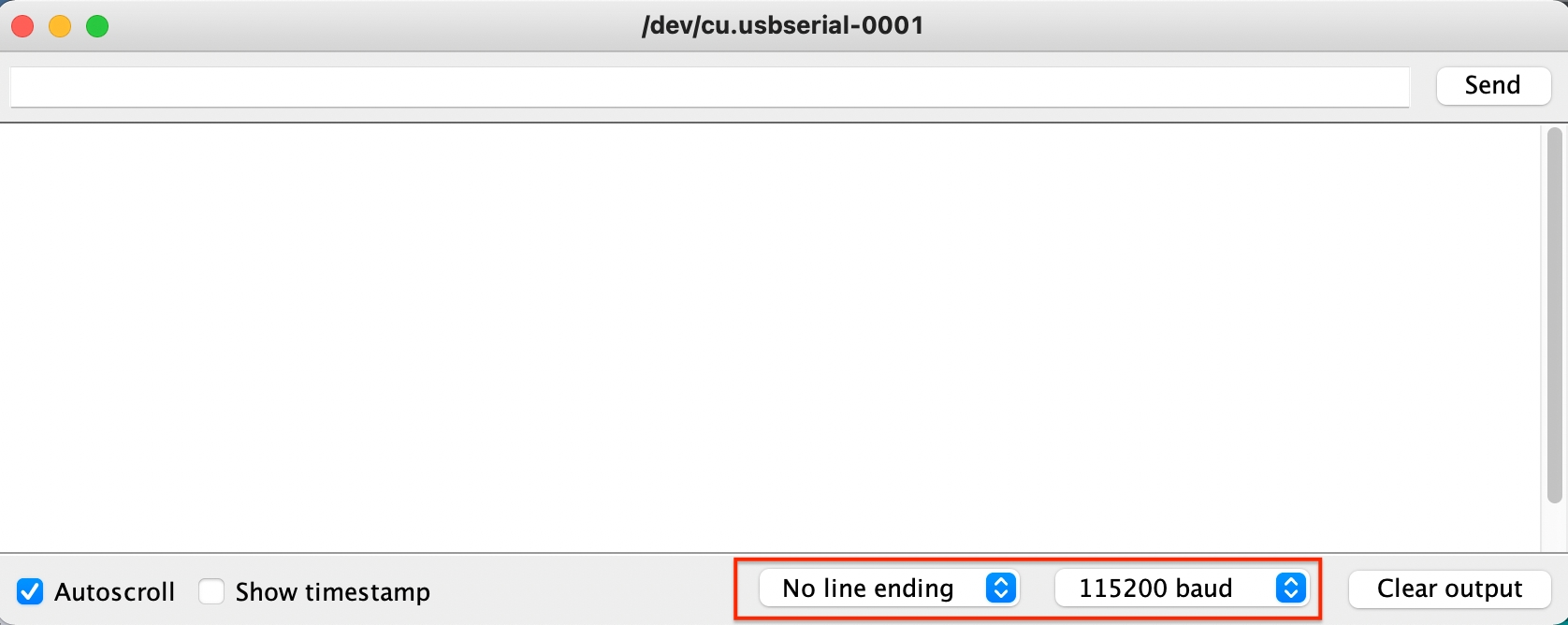
Configure the parameters of the serial monitor.
In the serial monitor, set "No line ending" and the baud rate to 115200.
With the USB adapter / Bluetooth module connecting NyBoard and computer, you have the ultimate interface - Serial Monitor to communicate with NyBoard and change every byte on it(via sending the serial commands based on the serial protocol).
Last updated