
Tools
** Download the latest version of the Petoi Desktop APP. **
Petoi Desktop App works on both Nybble and Bittle controlled by NyBoard based on ATmega328P or Bittle X controlled by BiBoard based on ESP32.
From version 1.2.1, the Petoi Desktop App includes a new module: Tools. This module provides convenient tools to fix your robot's frequent problems.

Reset voice module
It is used to reset the voice command module, simplifying its debugging process. If the voice module does not respond to your voice, you can use this tool to reset it. It's pretty simple to use: click the Reset voice module button.

Please follow the instructions in the message box.
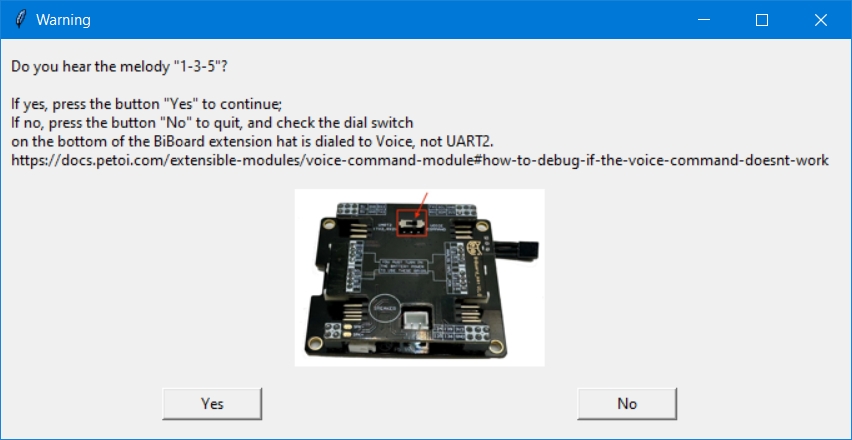
If the problem persists, please email [email protected].
Calibrate gyroscope
It is used to calibrate the gyroscope sensor on the mainboard. If you notice that the robot cannot maintain balance while performing skill movements (such as sitting down) and its body keeps shaking, you need to recalibrate the gyroscope. To calibrate the gyroscope, click the Calibrate gyroscope button.

Follow the instructions in the message box:

If the problem persists, please email [email protected].
Last updated