A blue color indicates that the board's wiring and other configurations must be adjusted.
Current board
Current servos
You need these for the upgrades
Bittle X V2
BiBoard V1
Feedback alloy servos
N/A
Bittle Robotics kit
NyBoard
Alloy servos
BiBoard V1
Bittle STEM kit
NyBoard
Lite(plastic) servos
BiBoard V1 + alloy servos(with or without feedback)
Bittle X
BiBoard V0
Lite(plastic) servos
Alloy servos(with or without feedback)
The simplest solution is to buy the newest components to match the Bittle X+Arm configuration. We offer discounted combo kits to help you upgrade. You can contact us to get the discount.
The following instructions will guide you in reconfiguring the BiBoard V0 for the Arm. You must complete all the following steps.
1. BiBoard V0 Re-configuration
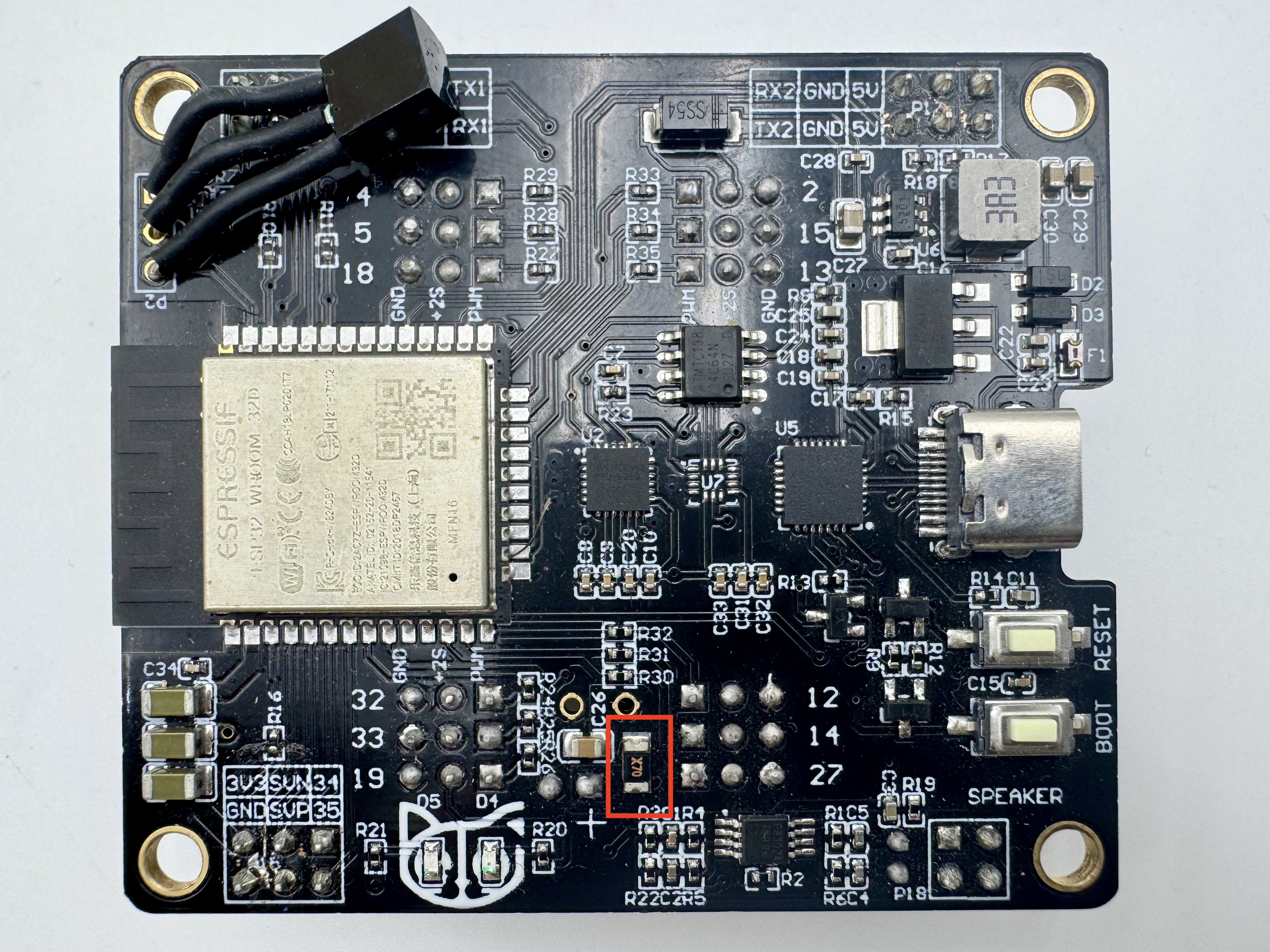
The arm's alloy servos require much more current. To bypass the fuse (marked X30 or X70), you must directly solder its two ends.
2. Firmware
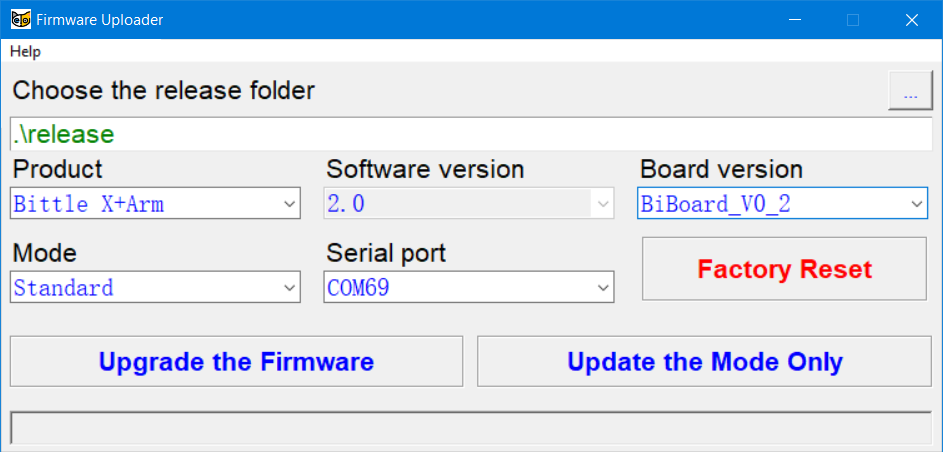
You will need to upgrade the firmware via Firmware Uploader with the following option:
Model: Bittle X+Arm
Board: BiBoard V0_* (Select the corresponding option based on the robot's mainboard model)
Mode: Standard
Or via Arduino IDE with the following macro activated:
3. Wiring
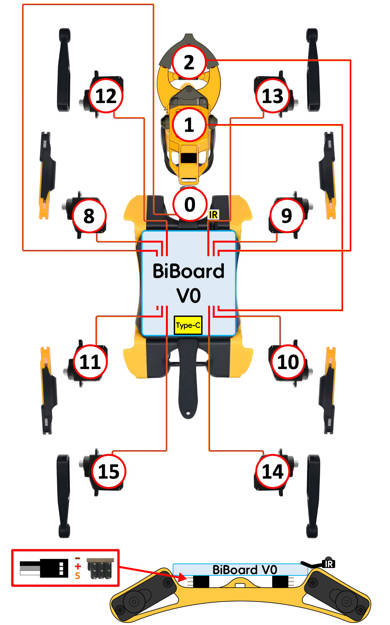
Please refer to the wiring diagram to attach the robotic arm。
4. Calibration
The robot arm needs to be calibrated to work correctly. Please refer to the corresponding chapter for details.
5. Controller
We have the Micro:Bit controller to provide an intuitive and prompt control for the robot.
#define BITTLE
#define BiBoard_V0_* // Activate the corresponding macro definition statements in the code based on the actual mainboard model the robot uses.
#define ROBOT_ARM